Working Environment
You'll find the following options in the View menu:
Background Color
Changes the background color of your drawing area.
Helper Lines
In complex drawings, it can be hard to tell which label belongs to which symbol. Helper lines solve this by drawing a visual connection between symbols and their labels.
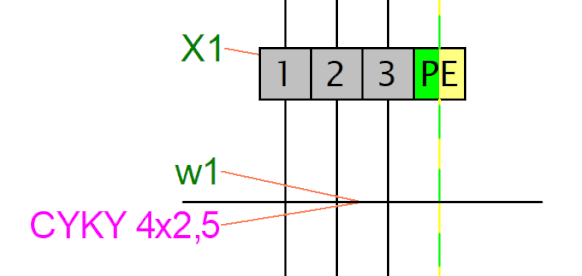
Toggle helper lines on or off with View - Show helper lines.
To include helper lines in printouts and exports, use View - Print and export helper lines.
Show Connection Point Numbers
Toggles the display of connection point numbers on symbols. This is especially useful when you need to verify generated netlists.
more information about working environment:
Zoom
You'll find a zoom dropdown in the main toolbar with preset scale values for quick access.
Units
The program uses tenths of a millimeter as the unit for line thickness, label positions, and similar settings.
