Integrated Circuits Panel
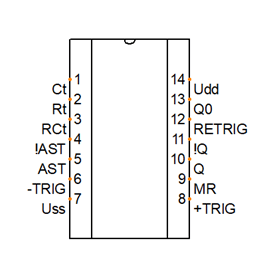
Need a symbol for an integrated circuit or a functional block? You don't have to draw it by hand in the symbol editor – just enter a few parameters in the Integrated Circuit panel and the symbol is created automatically.
How to create an integrated circuit symbol
Use the command File - New Integrated Circuit.
Settings
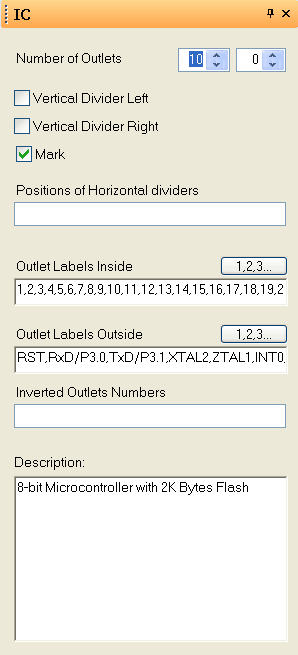
Number of Pins vert./hor.- The number of pins in the vertical and horizontal direction – determines the size of the symbol.
Vertical Divider Left,Vertical Divider Right,Mark- Change the visual appearance of the symbol.
Positions of Horizontal dividers- Comma-separated pin numbers below which a horizontal line is displayed.
Outlet Labels Inside/Outlet Labels Outside- Comma-separated pin labels. For a continuous series of numbers, use the
1,2,3...button. Inverted Pins Numbers- Comma-separated numbers of the pins that get an inversion mark.
💡 Pro tip: This feature is useful not only for ICs but for any functional block with defined pins – PLC modules or communication interfaces, for example.
