Search Panel
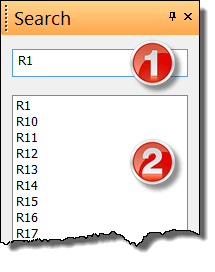
The Search panel lets you find symbols, texts, and graphic objects (if they contain text) across your entire drawing.
Type your search term in the search box arrow down key to jump to the results area
Search covers all pages and all layers of the drawing. This is different from the Explorer panel, which only shows objects from the current page and layer.
💡 Pro tip: The Search panel is the fastest way to find your way around a large drawing with dozens of pages – you don't have to go through them one by one.
