Explorer Panel
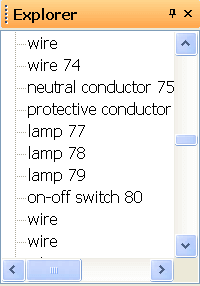
The Explorer panel shows a list of all objects on the current page and layer. It is useful in two situations:
- Selecting hard-to-reach objects – when an object is hard to select with the mouse, find it in the list and click it.
- Cleaning up the drawing – you discover errors such as duplicate symbols on top of each other, lines leading nowhere or forgotten leftovers. Removing these unnecessary objects makes the drawing leaner and faster.
💡 Pro tip: When you finish a drawing, go through the Explorer and check for suspicious objects. A clean drawing = faster work and a smaller file.
